Chrome extension
SubExtractor turns any video into text.
It reads the captions a video already has, or transcribes the tab on your own computer when there are none. It is free, with no account and no limit on how much you use it.
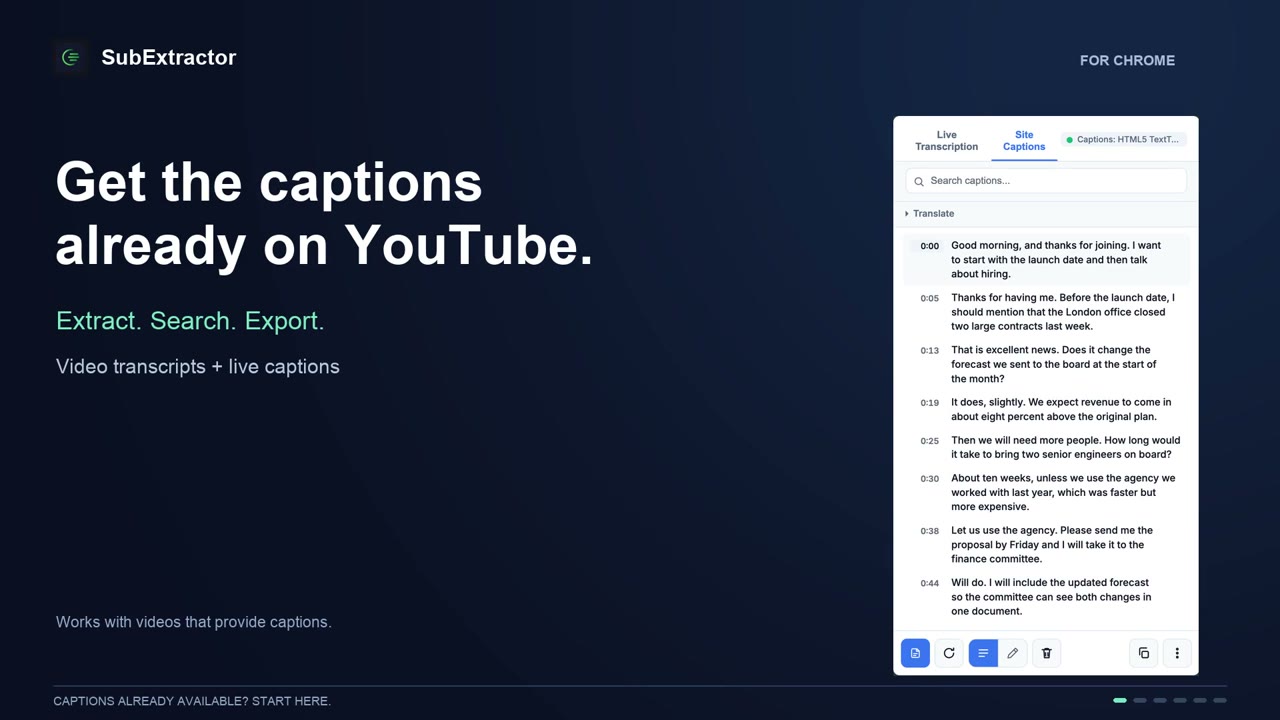
Read the captions a video already has
Most videos on the big sites carry a caption track. SubExtractor reads it into a transcript in about a second: timed, searchable, and ready to copy.
Get the transcript of a YouTube video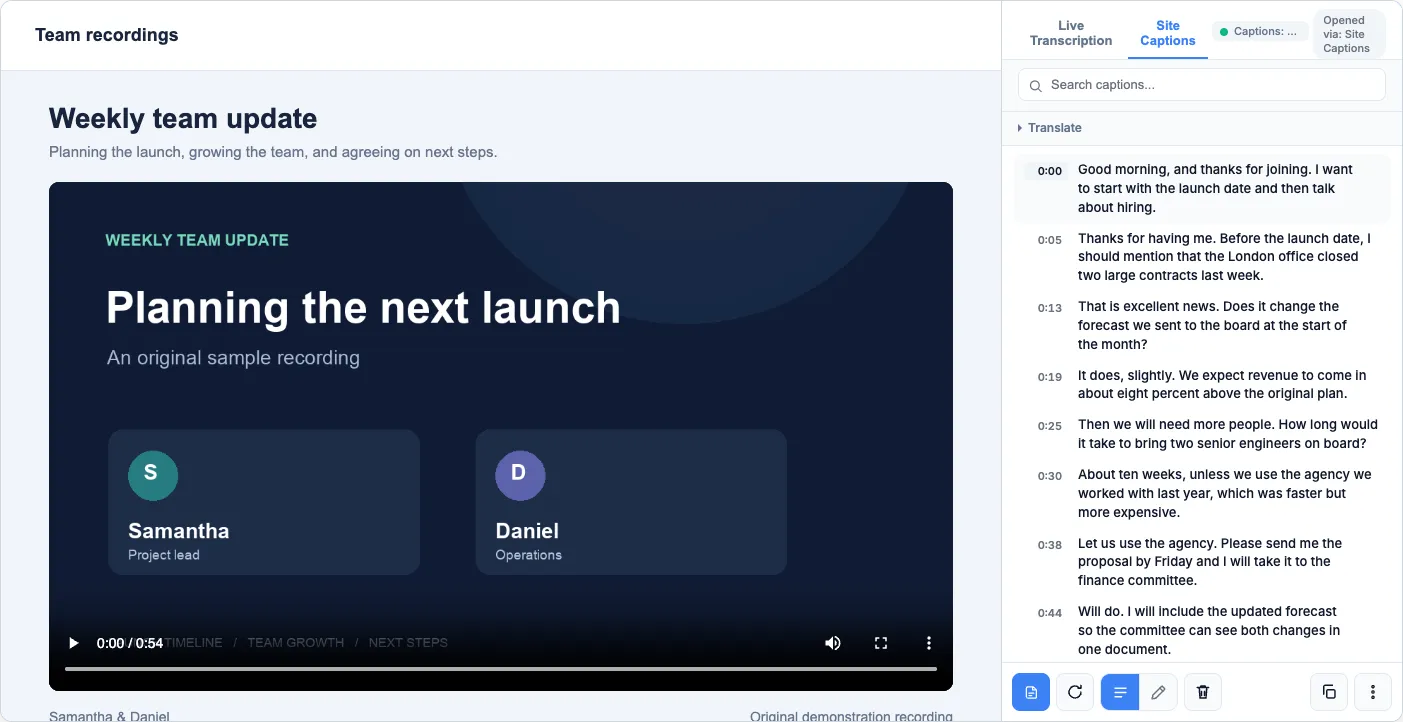
Transcribe a video that has none
When there is no caption track, SubExtractor listens to the tab and writes down what is said while it plays. The speech recognition runs in your browser.
Transcribe a video that has no captions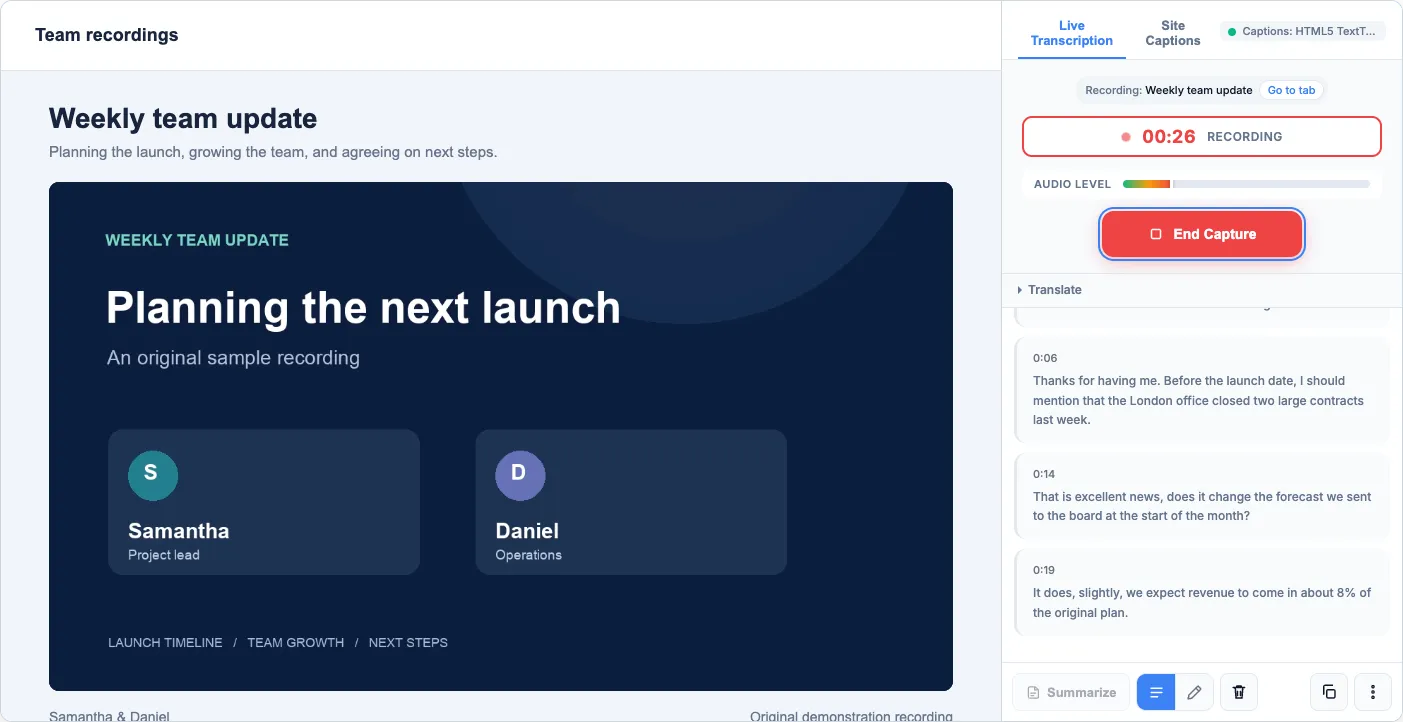
Put captions over the video
Live captions sit on the page in a box you can drag anywhere. They can be translated, or read aloud in your language.
Live captions for any video in Chrome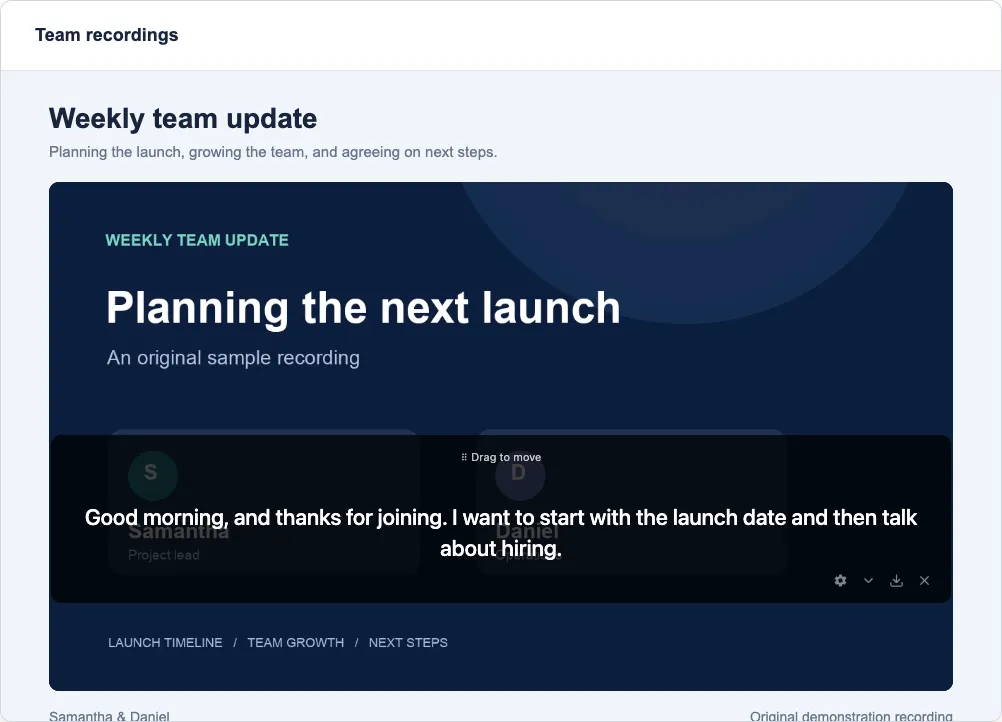
See who said what
For meetings, interviews and podcasts, optional speaker labels mark each turn as Speaker 1, Speaker 2 and so on.
See who said what in a recording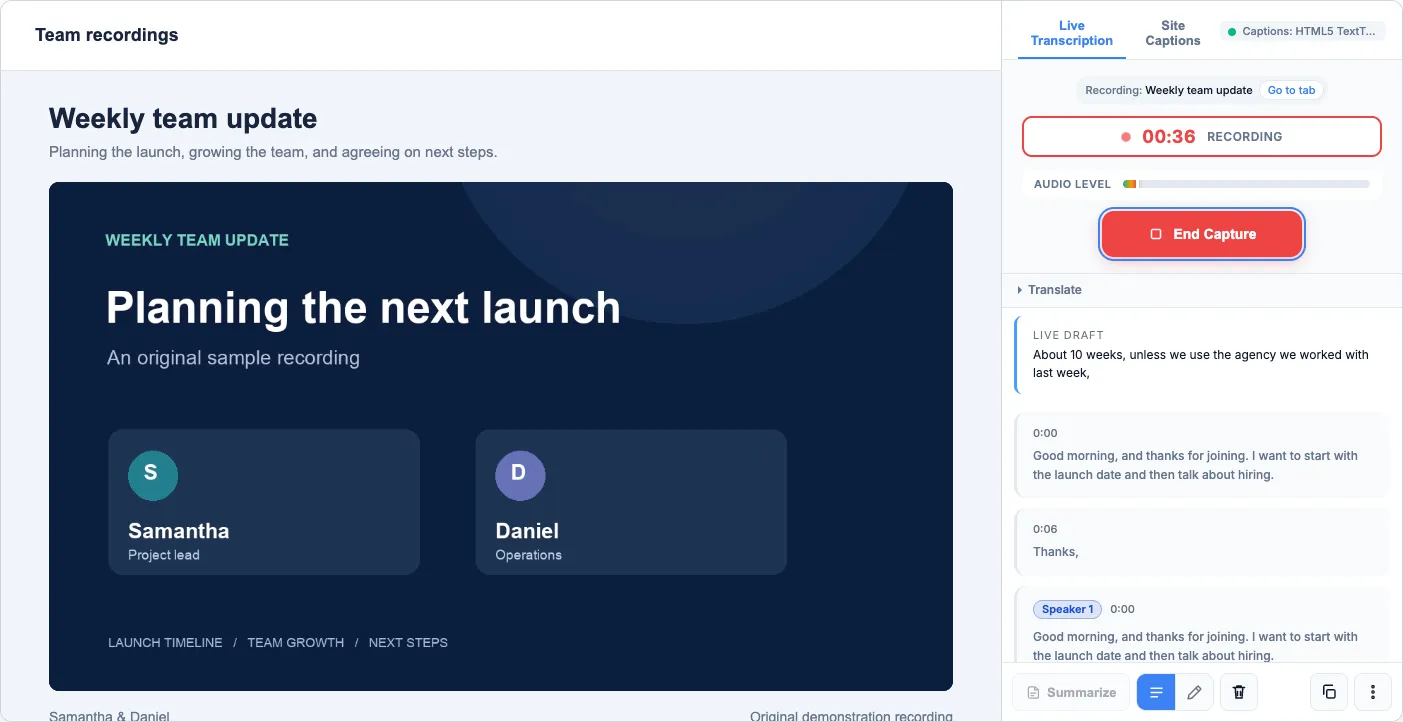
The short version
- Price
- Free. No paid plan, no in-app purchases, no ads.
- Account
- None. Nothing to sign up for.
- Where it runs
- On your computer. Audio and transcripts are not uploaded.
- Caption extraction
- YouTube, TED, Vimeo, Dailymotion, CNN, jw.org, and pages that use standard caption tracks.
- Live transcription
- Arabic, English, German, Japanese, Mandarin, Spanish, Tagalog, Vietnamese.
- Export
- TXT, SRT, VTT, JSON, with timestamps.
- Needs
- Chrome 116 or later on a desktop computer.
- Interface
- English and Spanish.
It can be free because the work happens on your machine. There are no transcription servers behind it, so there is nothing to meter and nothing to bill. More on what "free" means here.
Guides
- Get the transcript of a YouTube videoPull the captions a video already has into text you can search, copy and download.
- Transcribe a video that has no captionsTurn the audio of any Chrome tab into a transcript, on your own computer.
- Live captions for any video in ChromeShow captions over a video as it plays, move them, translate them or have them read aloud.
- See who said what in a recordingLabel the voices in a meeting, interview or podcast as Speaker 1, Speaker 2 and so on.
- Translate video captions and transcriptsRead a video in your own language, with the original beside it if you want.
- Download subtitles as SRT, VTT, TXT or JSONTake the transcript with you, with timestamps, in the format your next tool wants.
- Is SubExtractor really free?What it costs, why it can cost nothing, and how it compares with metered transcription tools.
- Questions and troubleshootingLanguages, requirements, privacy, and what to do when a video gives no captions.
Try it on the next video you open
Install it, open a video, and click the SubExtractor icon. Extracting captions works straight away; live transcription asks for a one-time language pack download first.
Add SubExtractor to Chrome